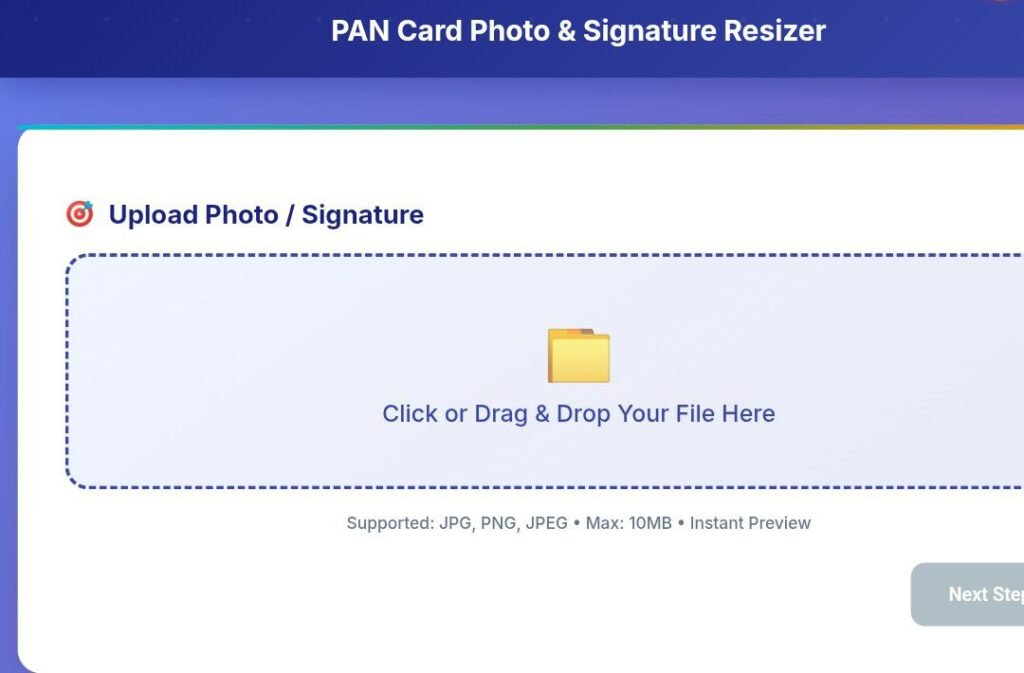
Upload Photo / Signature
Supported: JPG, PNG, JPEG • Max: 10MB • Instant Preview
Select Document Type
Precise Crop & Resize
✅ Ready to Download
Perfect 50KB file optimized for PAN card upload
⬇️ Download NowFile ready for NSDL/UTIITSL PAN portal
Supported: JPG, PNG, JPEG • Max: 10MB • Instant Preview
Perfect 50KB file optimized for PAN card upload
⬇️ Download NowFile ready for NSDL/UTIITSL PAN portal
Agar aap cyber cafe hai to aapko pata hoga har mahine 5 lakh Se jyada pen card application reject ho raha hai yahan problem yah hai sirf photo aur signature format galat hone ki vajah se NSDL company aur UTIITL portal reject ho raha hai exact 50KB photo nahin hone ke Karan Abhi application reject ho raha hai Pan Photo Resizer
Pan Photo Resizer ; bahut sare application hai jo Aksar photo ka size 200kb or 500kb banaa deta hai exact 50kb photo nahin banaa pata hai ya fir photo blur ho jata hai isiliye application reject Ho jaati Hai Ham aapke liye yah tool isliye banaa kar laya hun aap apne photo ko 50kb mein exact banaa sakte ho photo saaf rahega PAN card apply kijiega to reject hone ka bilkul dar nahin rahega
Hamare tool mein aapko Sath aise premium feature mil jaate Hain Jo isko use karne ke liye kafi tool paise le rahe hain plan purchase karna hota lekin hamare tool Aisa bilkul nahin bilkul free mein use kar sakte hain
Aapke man mein sawal hoga aapane tool banaya hai to isko use kaise karna hai tool ko use karna behad aasan hai step bye step niche Tarika ko bataya gaya hai ya FIR upar tool ko use karne ke bad bhi samajh mein a jaega
Tip: Use white background photos taken in natural light.
Handle Guide:
“Export 50KB →” is option per aapko click karna hoga
NSDL/UTIITSL → New PAN → Upload → ✅ Green Check No size warnings, instant processing approval
Google per kafi tool hai jo exact 50kb output taiyar nahin karke deta hai is tool ko use karne ke bad paid software Jaise Photoshop ki jarurat nahin padegi is tool mein fast processing Diya gaya hai second mein photo taiyar ho jata hai 100% privacy hai school mein yahan Koi server par upload nahin hota Hai
Es tool ko yadi aap ek bar istemal karte Hain To ummid karta hun yah tool aapko बार-बार use karne se majbur Karega kyunki ismein feature kafi achcha Diya gaya hai cyber cap wale ke liye ye tool jarurat padegi
Photo Requirements
Signature Requirements:
Why Strict? strict rules ka reason hai fast sarvar processing hai aur uniform verification hai
“3 bar reject ho chuka tha is signature ratio perfect Ho Gaya NSDL!”
Ankit S., Bangalore“mobile per cropping bahut smooth Hai 1 minut mein 50kb photo Bankar taiyar Ho Gaya thank u”
Neha R., Pune“mujhe Mera PAN card finally 48 ghante mein Mil Gaya photo size ka koi tension nahin Raha dhanyvad.”
Vikram K., Hyderabad
Kuchh aapke Man Ka sawal Ka jawab niche answer question mein Diya gaya hai
Q: kya yah tool mobile per kam Karega?
A: Yes – ji han yah tool mobile Android aur iPhone donon per kam karta hai
Q: photo kaise honi chahie?
A: photo white background hona chahie natural light hona chahie clear face hona chahie no Sadow hona chahie
Q: kitni bar use kar sakte hain?
A: Unlimited FREE – hamare tool mein Koi limit nahin hai aap unlimited use kar sakte hain bilkul free hai.
Q: PDF support karta hai?
A: abhi sirf photo signature PDF feature bahut jald aane Wala Hai
Hamare tool ka photo niche lagaya Gaya Hai photo ke madhyam se dekh sakte hain is tarike se hamara tool dikhta Hai
Pan Photo Resizer,Pan Photo Resizer,Pan Photo Resizer,Pan Photo Resizer,Pan Photo Resizer,Pan Photo Resizer