Compress Image to 200KB
Upload or drag & drop any photo (even MB size) – output will be under 200KB automatically.
Upload or drag & drop any photo (even MB size) – output will be under 200KB automatically.
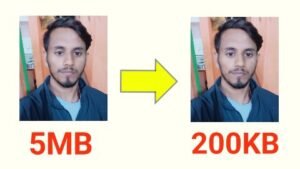
Image 200kb Resize Large image files can be a real problem when you are uploading photos to websites, filling out online forms, or sharing files through email. A heavy photo not only slows down websites but also makes the uploading process frustrating. To solve this issue, our Image Compressor Tool is designed to reduce image size to 200KB instantly without affecting quality.
This tool is simple, fast, and completely free. Whether you are a student, a blogger, or a business owner, you can use it anytime to make your photos lighter and easier to use.
There are hundreds of online tools available, but most either reduce quality or take too much time. Our Image Compressor Tool stands out because of its speed, quality, and ease of use.
Here’s what makes it different:
No need to adjust settings or choose file sizes manually. The tool automatically compresses your photo and brings it down to around 200KB, which is the most commonly required size for online forms and uploads.
You can upload your photos in two simple ways:
The tool processes your photo within seconds. No long waiting time—your optimized image is ready almost instantly.
After compression, you can see both the original size and the new compressed size. This transparency helps you check how much space you have saved.
Even after reducing the file size, the photo quality remains clear. The algorithm ensures that images look sharp and professional, suitable for forms, websites, and personal use.
As soon as the image is compressed, a Download Button appears. With one click, you can save your optimized photo directly to your device.
The tool is fully responsive, meaning it works smoothly on desktop, laptop, tablets, and smartphones. You can compress your photos anytime, anywhere.
Your images are not stored on any server. All processing happens directly in your browser, keeping your photos 100% safe and private.
✔ Faster Websites – Bloggers and webmasters know how important website speed is. Lighter images mean faster loading pages and better SEO.
✔ Exam & Government Forms – Many online applications require photo size under 200KB. This tool makes sure your photo fits the requirement.
✔ Save Storage Space – Compressed images take up less memory on your mobile and computer.
✔ Quick Sharing – Smaller images can be sent faster via email, WhatsApp, or social media without errors.
Follow these simple steps to reduce your image Size:
That’s it! The process is quick, easy, and beginner-friendly.
The Image Compressor Tool – 200KB is the perfect solution for anyone who wants to reduce file size without losing quality. It is free, fast, secure, and extremely easy to use. Whether you are a student uploading documents, a professional managing websites, or just someone trying to save storage space—this tool is for you.
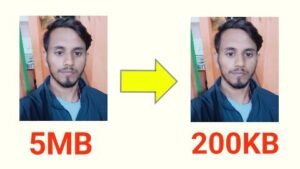
Image 200kb Resize,Image 200kb Resize,Image 200kb Resize,Image 200kb Resize,Image 200kb Resize,Image 200kb Resize